

AI Agents
Configure default agents, custom agents, outbound agents, and shared appointment behavior from the DealerAI portal.
The AI Agents section is where you manage the dealership-facing agents that power DealerAI conversations and bookings.
Overview
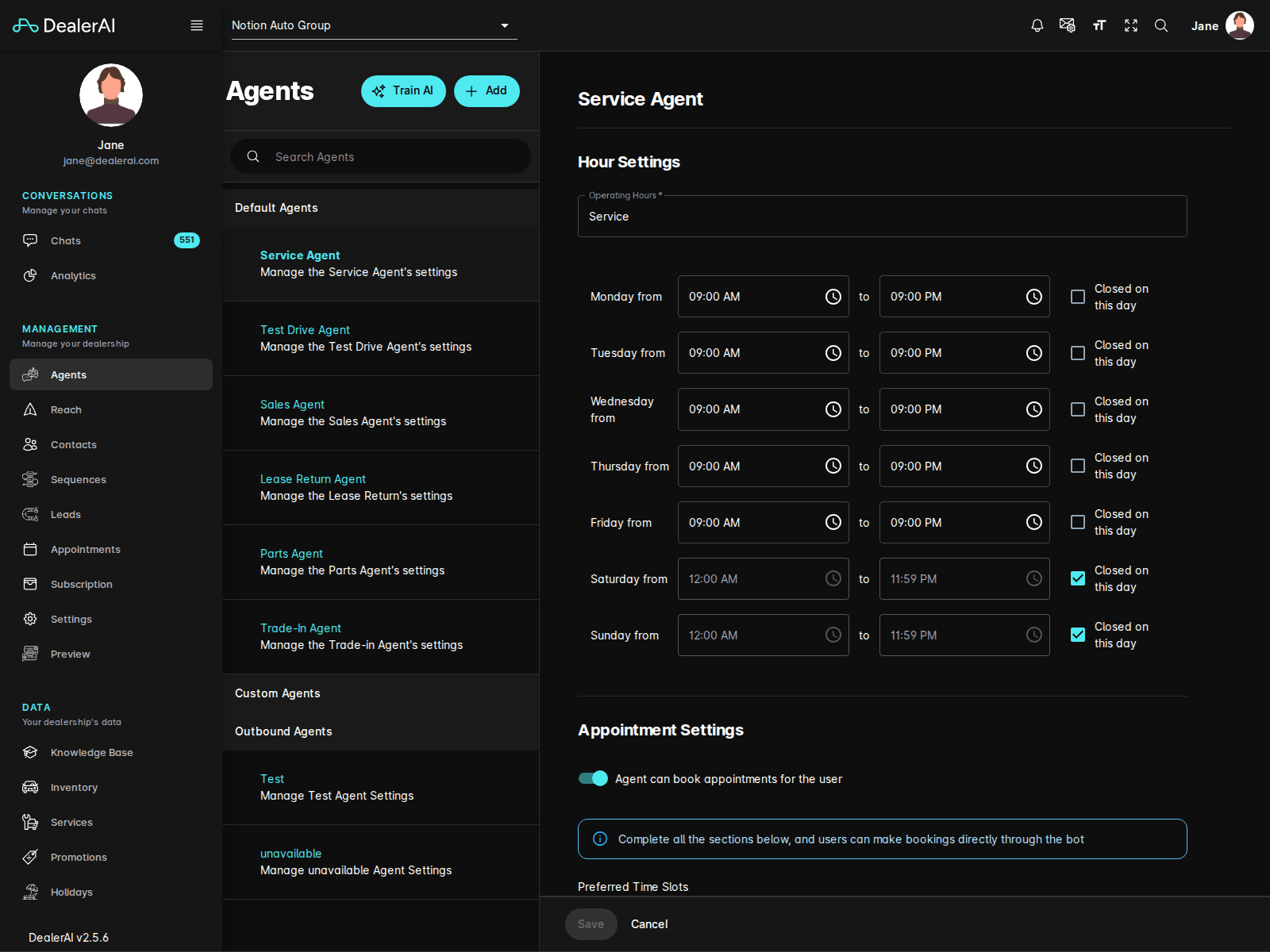
In the current portal UI, the Agents screen includes:
- A Train AI action in the page header
- An Add action for creating or adding agent records
- A left sidebar grouping agent types and related configuration areas
- A Default Agents group containing built-in appointment agents
- Additional groups for Custom Agents and Outbound Agents when enabled
- A main editor area for the selected agent's settings
Default agents
The built-in default agents currently shown in the portal are:
- Service Agent
- Test Drive Agent
- Sales Agent
- Lease Return Agent
- Parts Agent
- Trade-In Agent
Agent edit view
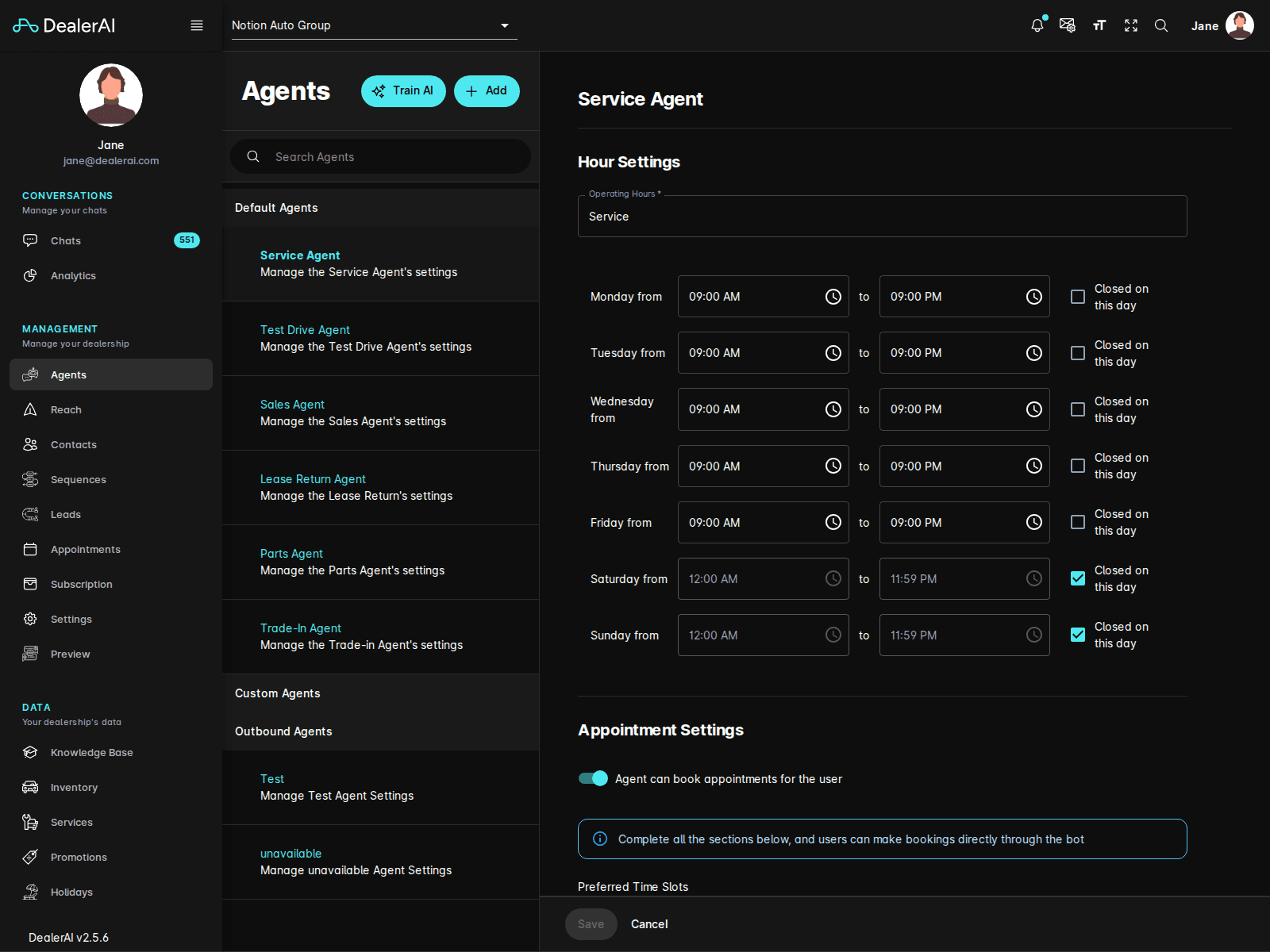
When you open an agent such as Service Agent, the editor can include configuration areas such as:
- Operating hours by day of week
- Appointment booking enablement
- Agent-specific instructions and behavior
- Availability or scheduling constraints
The exact fields vary by agent type, but the overall workflow stays consistent: pick an agent from the sidebar, edit its settings, then save and retrain if needed.
Custom and outbound agents
Beyond the default appointment agents, the sidebar can also expose:
- Custom Agents for dealership-specific use cases
- Outbound Agents for proactive outreach scenarios
Use these areas when the standard Sales / Service / Test Drive flows are not enough.
Train AI
Use Train AI after meaningful changes to prompts, appointment behavior, or other agent settings.
This refreshes the AI configuration used by DealerAI so the portal settings and real customer-facing behavior stay in sync.
Typical workflow
Notes
- The sidebar contents can change depending on enabled features.
- Some agent sections are dealership-specific, while others depend on organization-level setup.
- If an agent controls booking behavior, review the related Appointments and Reach settings as part of the same workflow.