

Preview
Test and visualise your dealership's webchat widget before it goes live on your website.
The Preview section gives you a sandboxed environment to interact with your DealerAI webchat widget exactly as your website visitors will experience it — before making any changes live on your site.
Overview
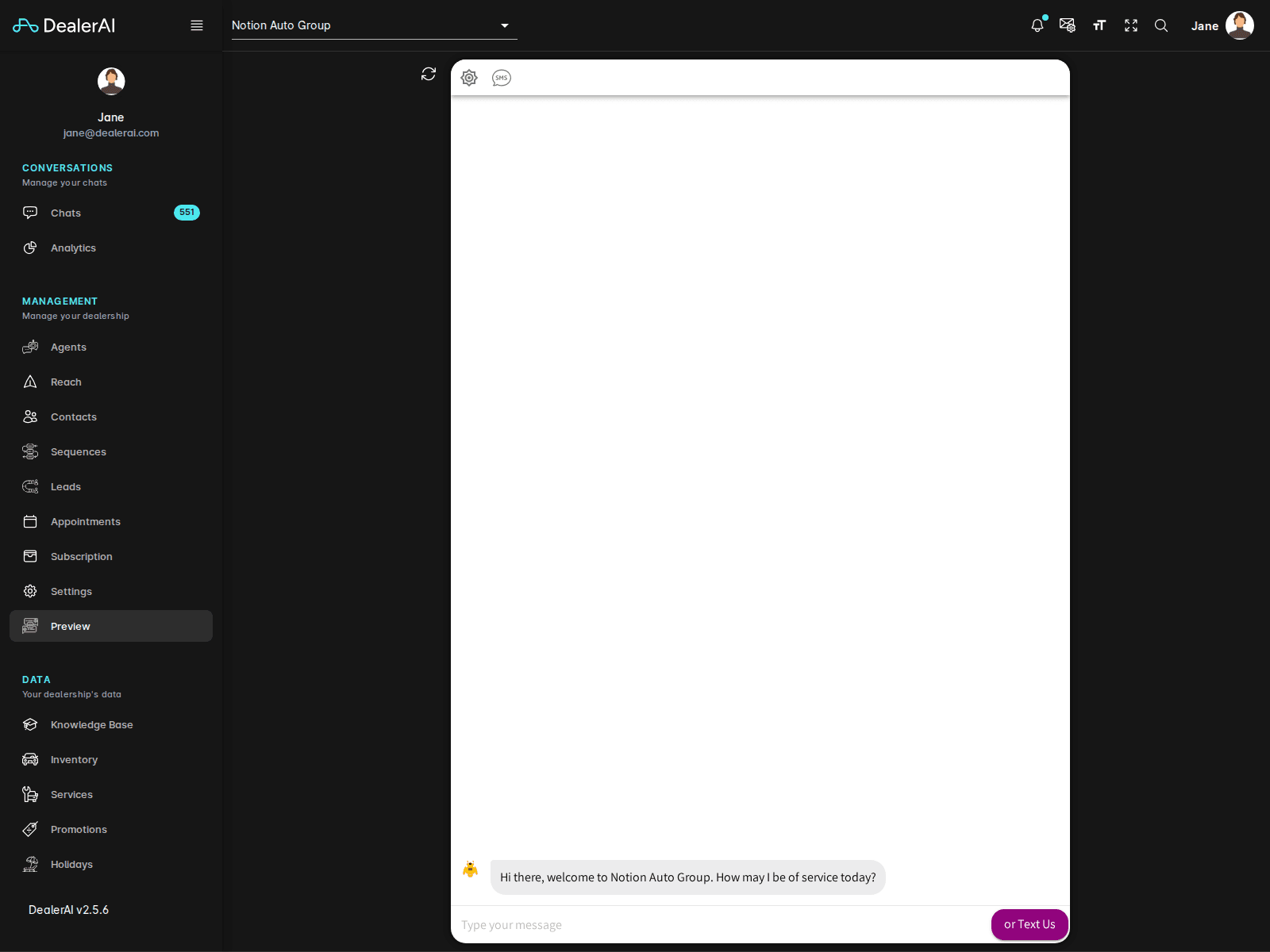
Preview renders a simulation of your dealership's website with the chat widget overlaid on top. You can open the widget, send test messages, and see how the AI responds using your current configuration, agent prompts, inventory, and Knowledge Base.
Conversations started in Preview are test conversations. They do not create real leads, book actual appointments, or trigger Reach sequences.
Using Preview
What to Test
Use Preview to verify the experience before going live or after making configuration changes:
| What to check | How |
|---|---|
| Greeting message | Open the widget and check the first message displayed |
| Widget appearance | Confirm the colours, logo, and title match your branding |
| Inventory accuracy | Ask about specific vehicles and check the AI uses up-to-date stock |
| Knowledge Base | Ask about hours, location, or policies and verify the answers |
| Promotions | Ask about current deals and confirm active promotions are mentioned |
| Appointment booking | Go through a full booking flow to test the end-to-end experience |
After Testing
If you find issues in Preview:
- Incorrect AI responses — update the relevant agent prompt in Agents
- Wrong dealership info — update Knowledge Base or Settings
- Missing or wrong vehicles — review the Inventory list
- Widget appearance issues — adjust the Webchat settings in Settings → Webchat
Re-open Preview after each change to confirm the issue is resolved before going live.