

Conversations
Monitor and manage live AI-led customer conversations across all channels from one unified inbox.
The Conversations section is where you can watch AI-led chats happening in real time and step in to assist or take over when needed. Every inbound message — whether from WebChat, SMS, Facebook, Instagram, or Google Chat — appears here.
Overview
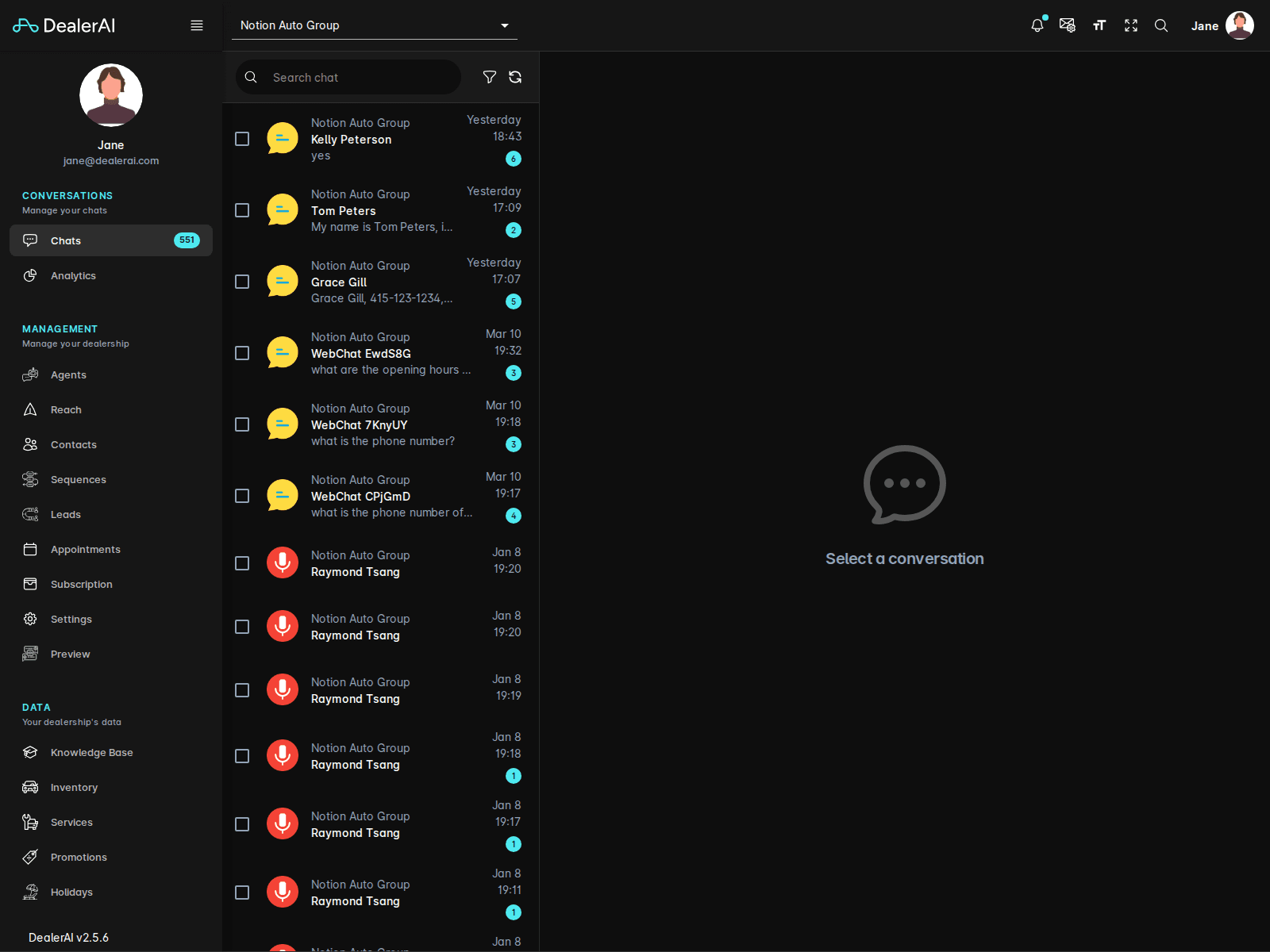
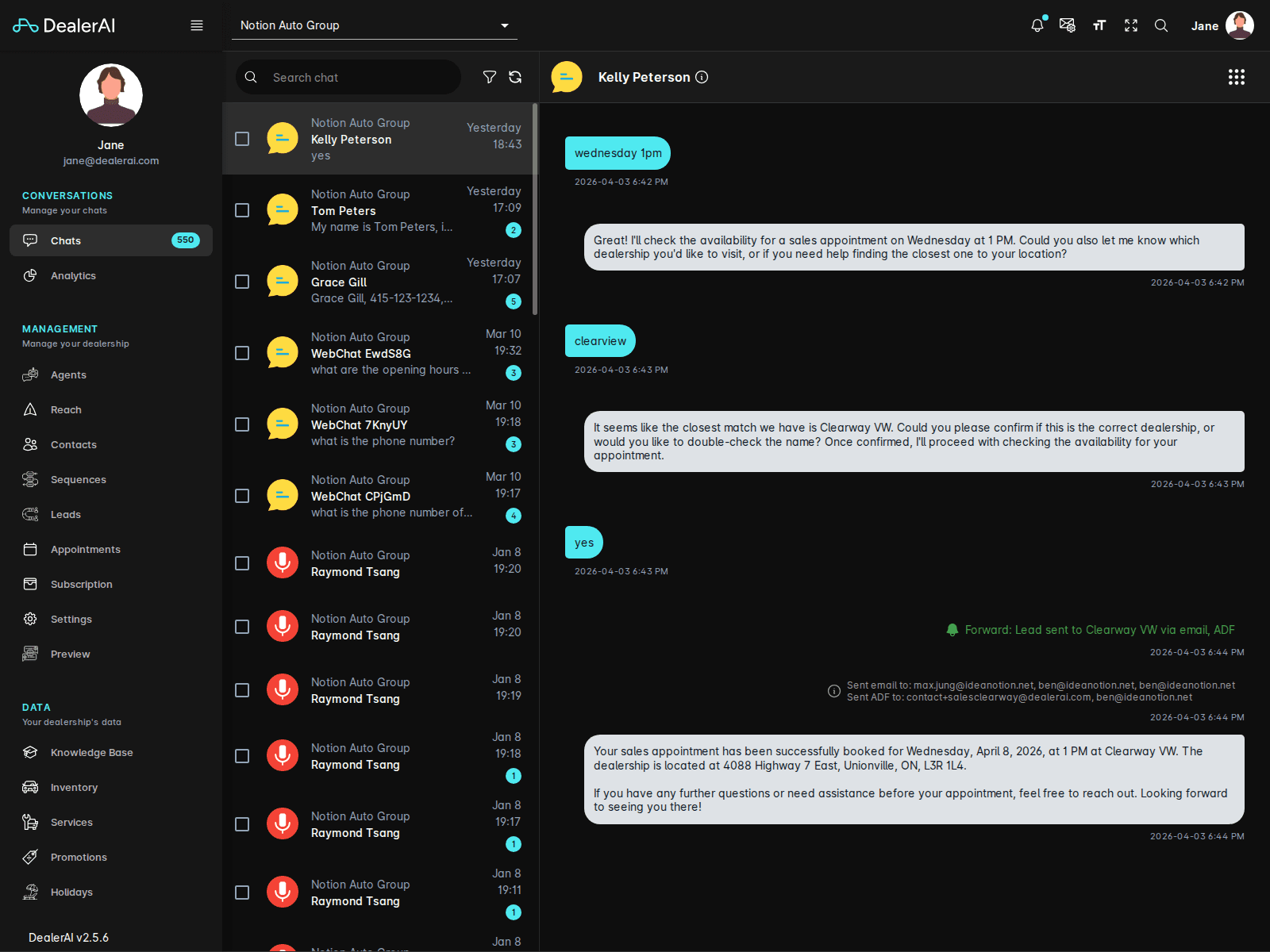
When a customer starts a conversation, DealerAI's AI agents handle the interaction automatically. The Conversations screen lets your team observe those exchanges, send manual messages, and review conversation history alongside customer details.
Navigating the Conversations List
The left panel shows all active and recent conversations for the selected dealership. Each conversation card displays:
- Customer name or phone number
- Channel icon (SMS, WebChat, Facebook, etc.)
- Last message preview and timestamp
- Status indicator (active, waiting, resolved)
Use the dealership selector at the top to switch between stores if your account has access to multiple locations.
Conversation Detail
Clicking a conversation opens the full chat view:
- Message thread — the complete conversation history between the customer and the AI (or a staff member)
- Customer info sidebar — name, phone, email, channel, and any linked contact record
- Conversation history — previous interactions with the same customer
Taking Over a Conversation
When a staff member sends a message, the AI pauses on that conversation so the human agent is in full control. The AI resumes when the conversation is resolved or after a configured inactivity period.
To send a manual message:
Channel Icons
| Icon | Channel |
|---|---|
| Chat bubble | WebChat (embedded widget) |
| Phone | SMS |
| Facebook logo | Facebook Messenger |
| Instagram logo | Instagram Direct Message |
| Google logo | Google Chat |
| Envelope |
Filtering and Search
Use the search bar above the conversation list to find conversations by customer name or phone number. Conversations are also grouped by status so you can quickly focus on those that need attention.
Real-Time Updates
The conversation list updates in real time. New messages and status changes appear automatically without refreshing the page.