

Portal GuidePromotions
Promotions
Manage dealership offers, train updates, and maintain promotion records used by DealerAI.
The Promotions section is where dealership-specific offers and specials are managed in the portal.
Promotions list
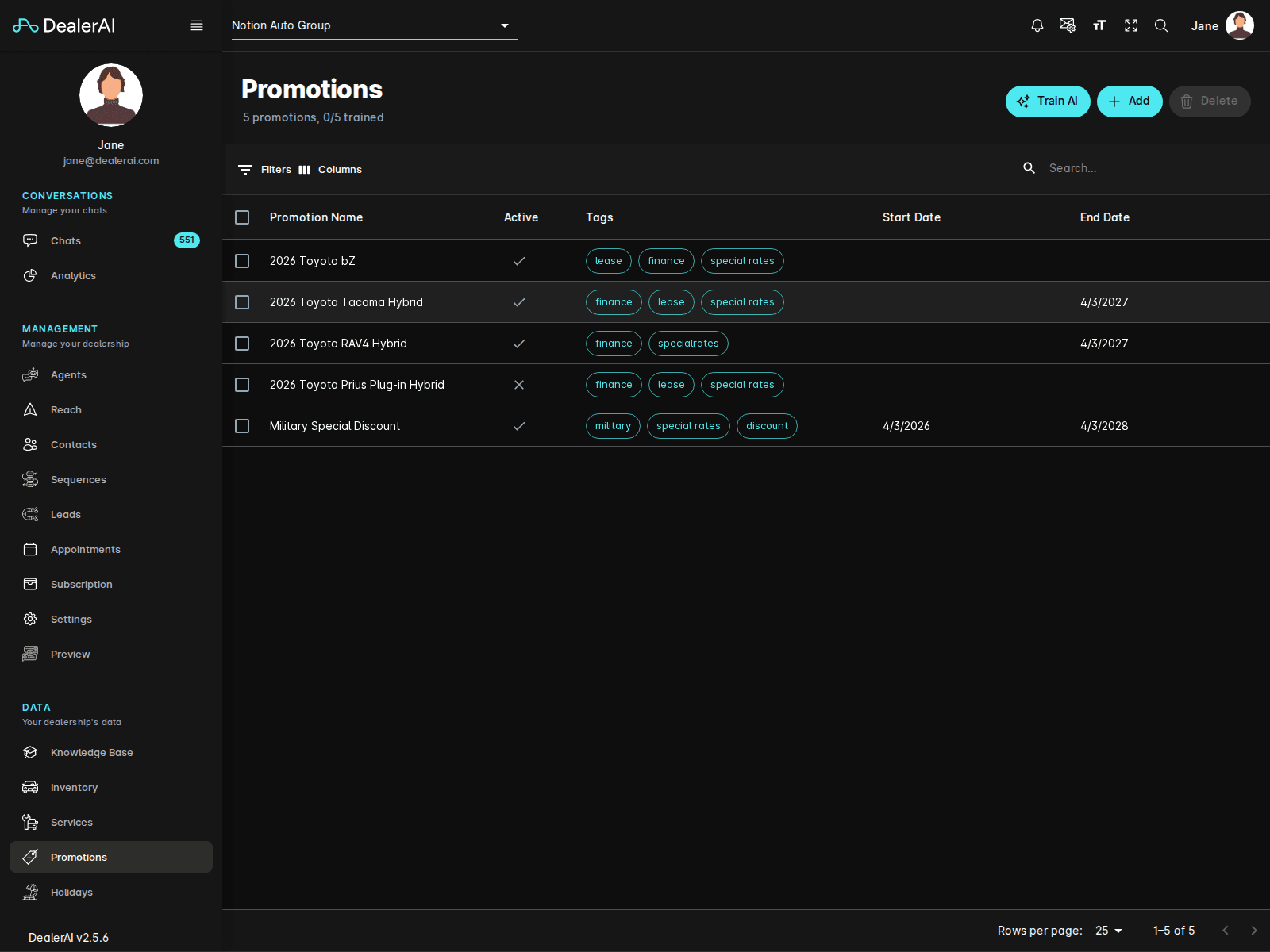
The current Promotions page includes:
- A header showing the total number of promotions and training status
- Top actions for Train AI, Add, and Delete
- Table tools for Filters and Columns
- A dealership-scoped promotions table
The visible table columns include:
- Promotion Name
- Active
- Tags
- Start Date
- End Date
Extract promotions
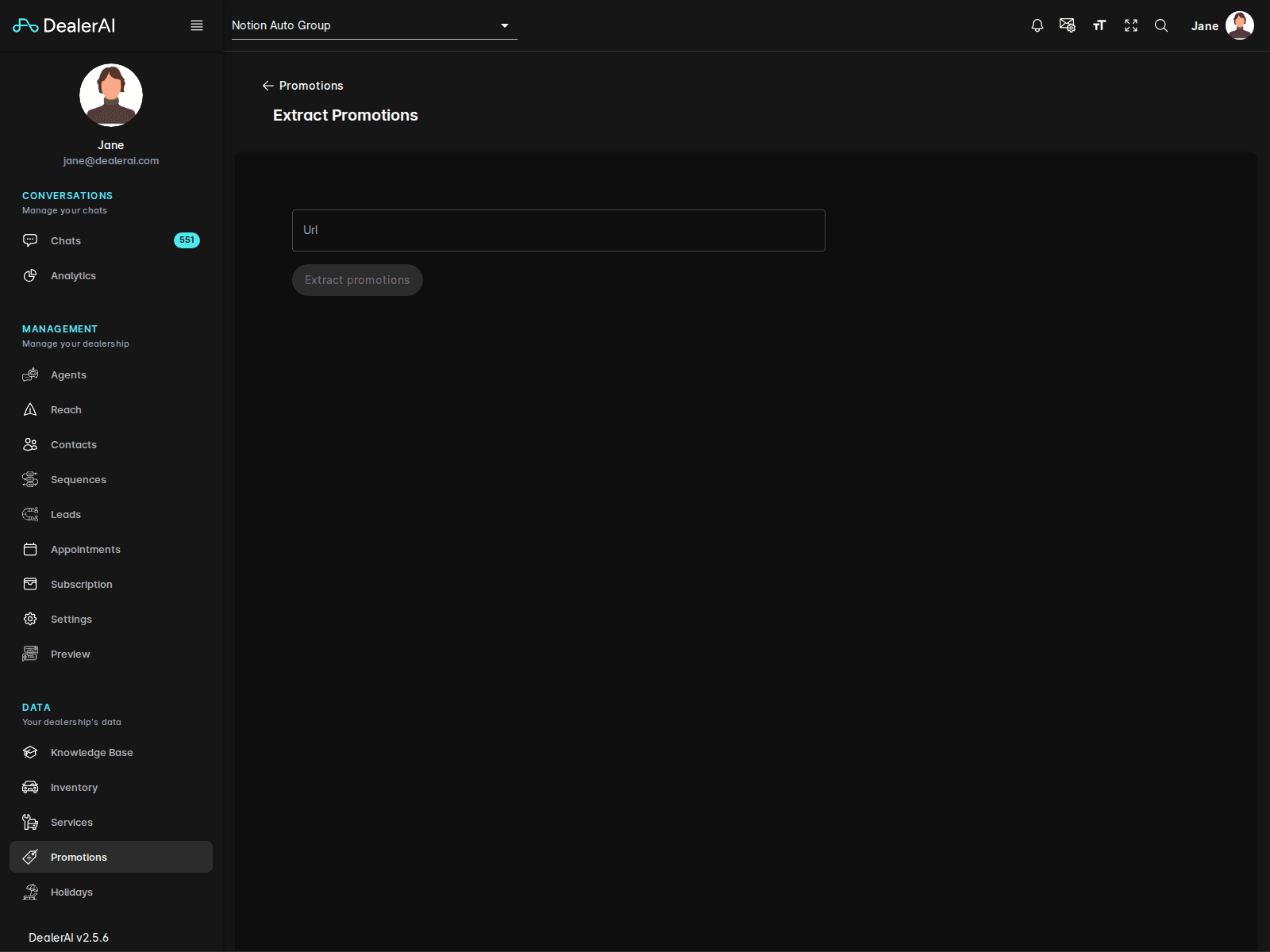
The Promotions area also includes an Extract Promotions workflow where users can supply a URL and pull promotional content into the portal for review.
This is useful when a dealership already publishes offers elsewhere and wants to bring them into DealerAI more efficiently.
Main actions
Train AI
Use Train AI after changing promotional content so DealerAI reflects the latest offers in live conversations.
Add
Create a new promotion record.
Delete
Remove one or more selected promotions when they are no longer valid.
Typical workflow
Open Promotions from the navigation.
Review the current promotions list and filter it if needed.
Add a new offer, edit an existing one, or use the extract flow.
Confirm the active window, tags, and content are correct.
Save the changes and click Train AI if the update should affect production responses.
Notes
- Promotions is dealership-specific.
- Training matters here because promotional content often needs to show up in customer-facing answers quickly.
- Pair this page with Inventory and Knowledge Base docs when documenting merchandising or campaign workflows.