

Reach
Configure multi-channel follow-up, lead routing, fallback behavior, and inbound lead sequences from the Reach section.
Reach is DealerAI's automation control center for follow-up and lead-routing behavior across email, SMS, and supported voice flows.
General Configuration
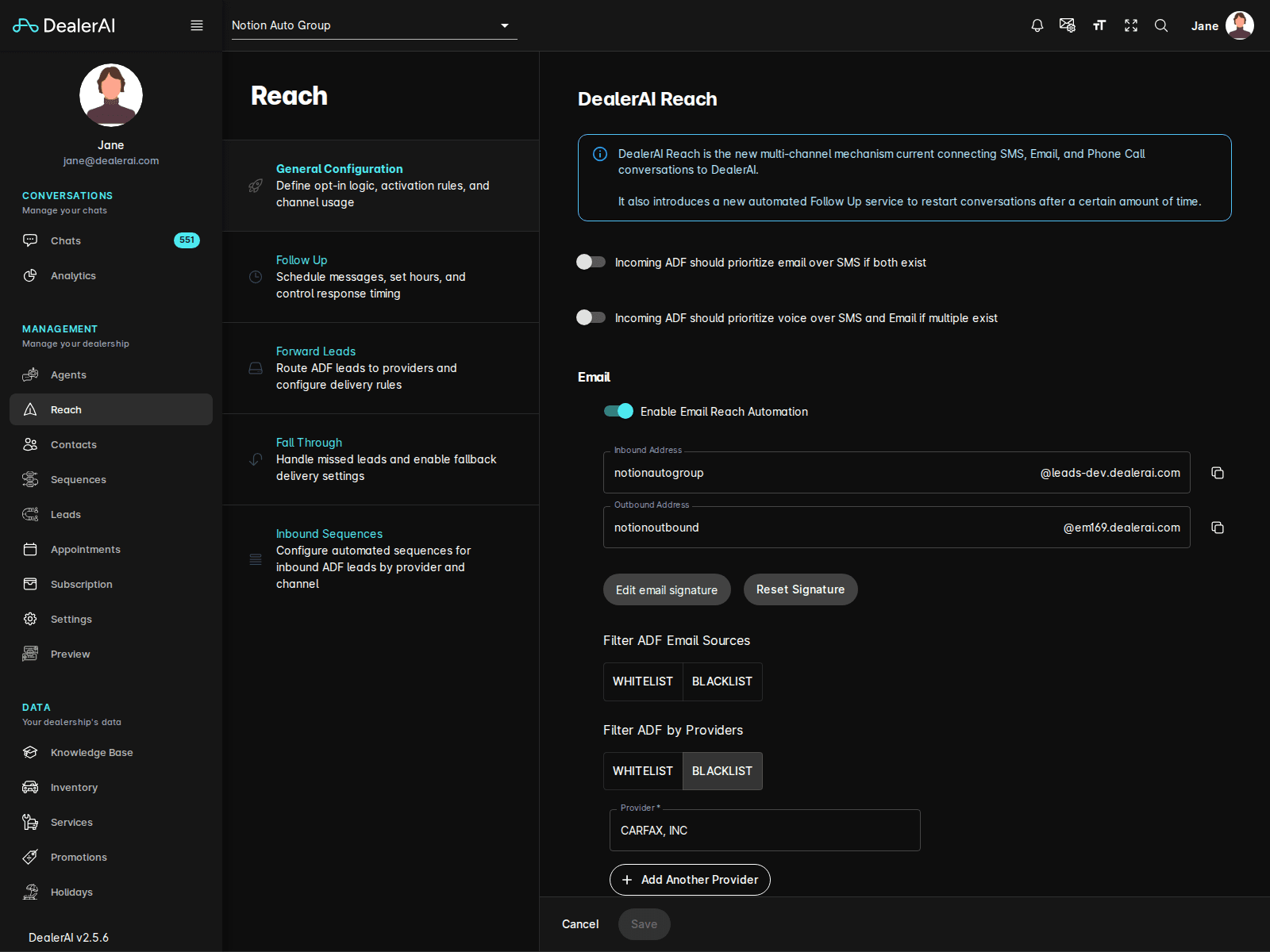
The current Reach sidebar includes these pages:
- General Configuration
- Follow Up
- Forward Leads
- Fall Through
- Inbound Sequences
The General Configuration page contains the high-level automation controls, including options for:
- Prioritizing email for incoming ADF leads
- Prioritizing voice when multiple channels are available
- Enabling Email Reach Automation
- Managing inbound and outbound email addresses
- Enabling SMS automation
- Enabling voice automation when voice settings are configured
- Selecting the voice agent used for Reach flows
Start here when you need to confirm how Reach behaves overall before tuning specific follow-up pages.
Follow Up
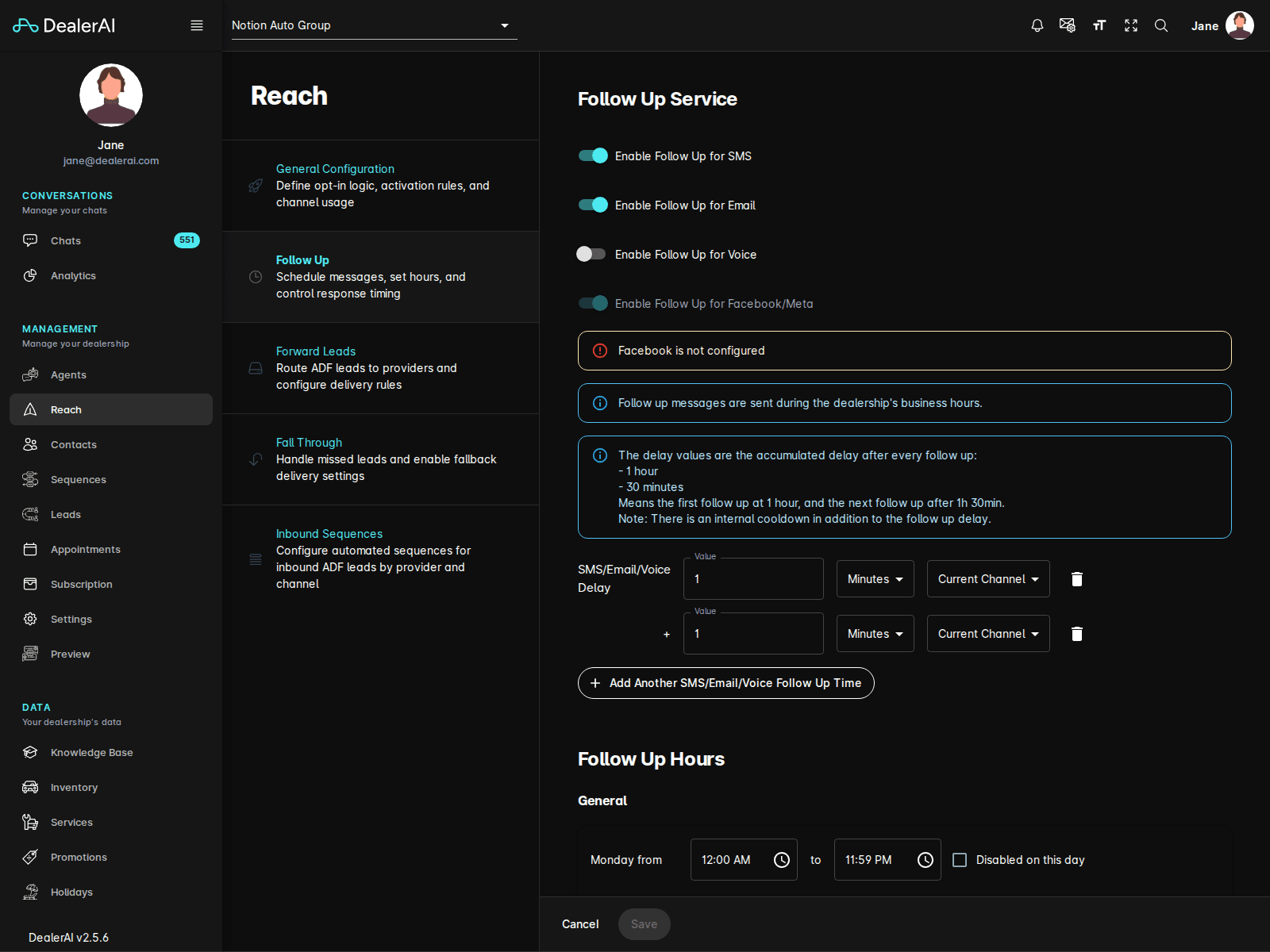
Use Follow Up to schedule continued outreach after the initial interaction.
From the current portal UI, this page includes channel-specific controls for:
- SMS follow-up
- Email follow-up
- Voice follow-up
- Facebook/Meta follow-up when configured
This is where dealership teams tune ongoing contact timing and channel usage after a customer enters the workflow.
Forward Leads, Fall Through, and Inbound Sequences
- Use Forward Leads to route incoming ADF leads to the right destinations and providers.
- Use Fall Through to define what happens when a lead does not move through the normal path.
- Use Inbound Sequences to configure provider- and channel-based automation for inbound ADF leads.
Typical workflow
Notes
- Reach is dealership-specific and strongly tied to live automation behavior.
- Channel-specific controls only appear when the dealership is configured for those channels.
- If you are documenting follow-up workflows, pair Reach with Leads, Contacts, and Appointments so the full process is clear.